Browser extension
Trench Score, right where you trade
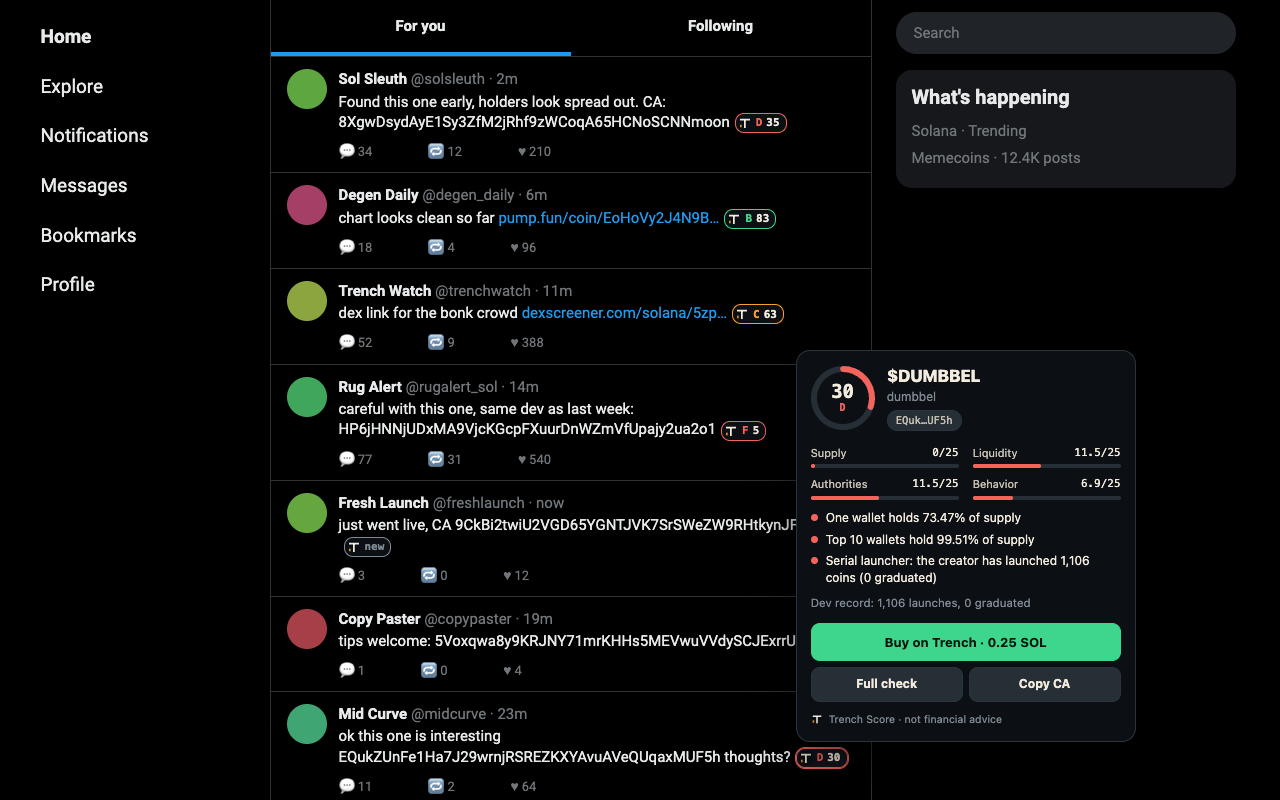
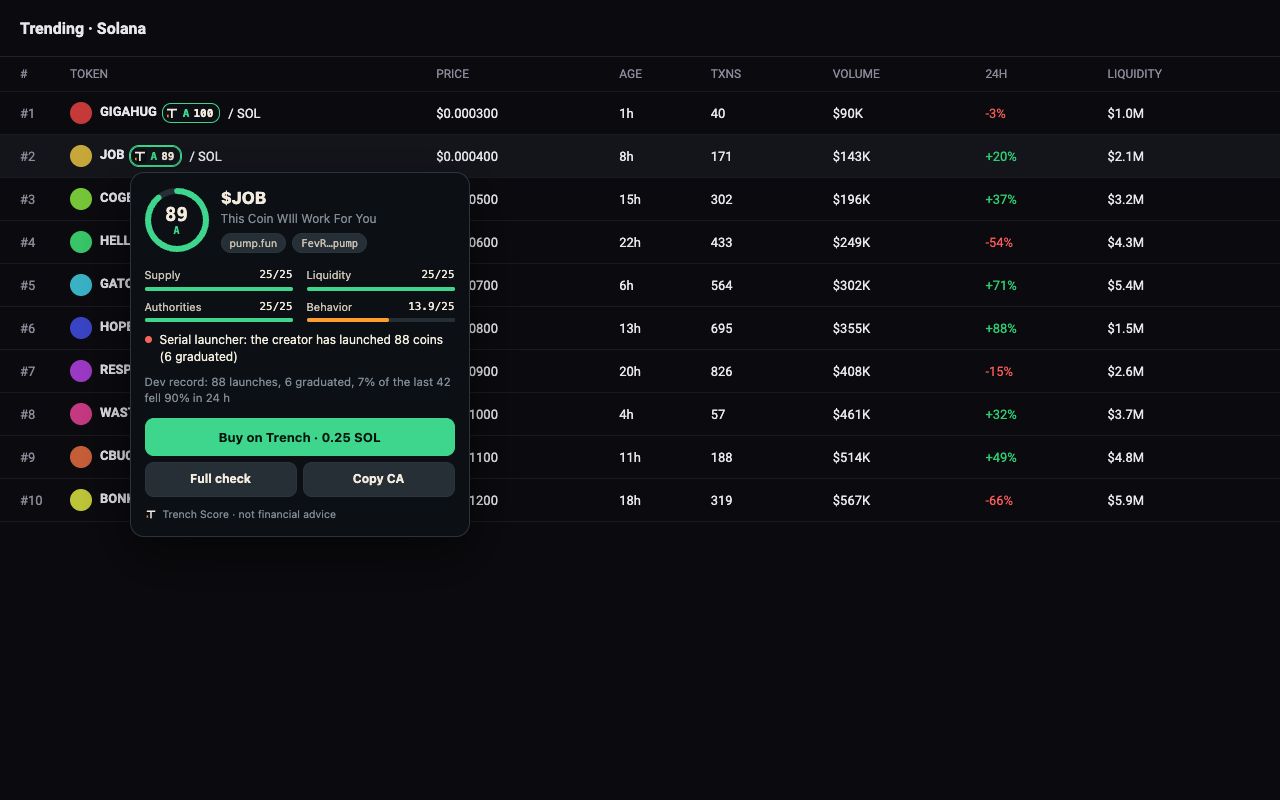
A small pill next to every Solana contract address on X and the big DEX sites: the coin's Trench Score, A to F. Hover it for the four drivers, the top red flags and the creator's rug record.
Download for Chrome, Brave, Edge, Arc (zip)
Chrome Web Store: coming soon
What it does
- Pills next to contract addresses. In posts, links (pump.fun, DexScreener, Axiom, GMGN, Birdeye, Jupiter, Photon, BullX) and coin lists. Pool addresses from DexScreener, Axiom and Photon links resolve to the coin.
- The Score card on hover or tap. Score ring, Supply, Liquidity, Authorities and Behavior out of 25 each, up to three red flags and the creator's record (launches, how many fell 90% within a day, liquidity pulls).
- Buy on Trench. One click opens the coin on trenchlyfe.fun with your default buy size filled in. Add your Trench handle in settings and buys from your clicks credit you as the bagworker. You still confirm every trade.
- Paste any CA. The toolbar button scores any address you paste.
- Too new to score shows as
new: scoring starts once a coin is 2 minutes old or has 20 holders.
Works on
- x.com
- dexscreener.com
- pump.fun
- axiom.trade
- gmgn.ai
- birdeye.so
- jup.ag
- photon-sol.tinyastro.io
- neo.bullx.io
Install from the zip
Until the Chrome Web Store listing is live, install it by hand. It takes a minute.
- Download trench-score-extension-0.1.1.zip and unzip it. You get a folder named
trench-score-extension. - Open
chrome://extensions(Brave:brave://extensions, Edge:edge://extensions, Arc: Extensions in the Arc menu). - Turn on Developer mode (top right in Chrome and Brave, left side in Edge).
- Click Load unpacked and pick the unzipped
trench-score-extensionfolder. - Pin Trench Score from the puzzle-piece menu. The settings page opens on first install: add your Trench handle and default buy size.
A hand-installed extension does not update itself. When the store listing is live, remove this copy and install from the store to get updates.
Privacy
The extension sends only the Solana addresses it finds on the page to trenchlyfe.fun, to look up scores. It does not send the page address, your browsing history, cookies or any identifier, and it has no analytics. Settings stay in your browser.
Full details: Privacy Policy, browser extension.
Not financial advice
Trench Score reads public chain data and reports what it finds. A good grade does not mean a coin will go up, and a bad grade does not prove a rug. Memecoins are highly speculative and can lose all of their value.